

Hubyfy CRM / CRM & WORK PLATFORM
Know the customer.
Move the work forward.
Keep customers, deals and delivery in one workspace. Know who owns the next step—and what needs attention.
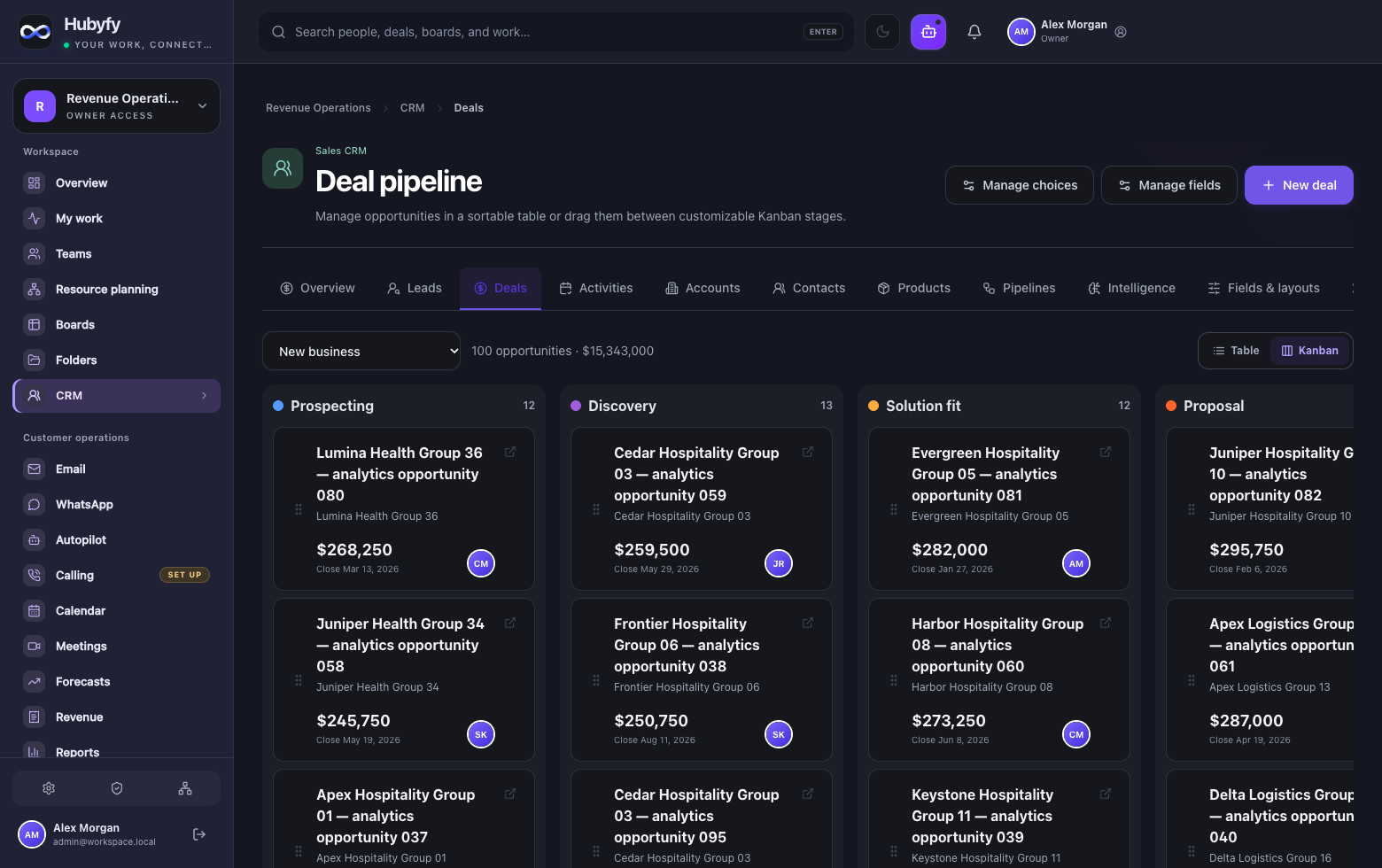
- Track every opportunity
- Coordinate the next step
- See progress clearly
Hubyfy CRM IN PRACTICE
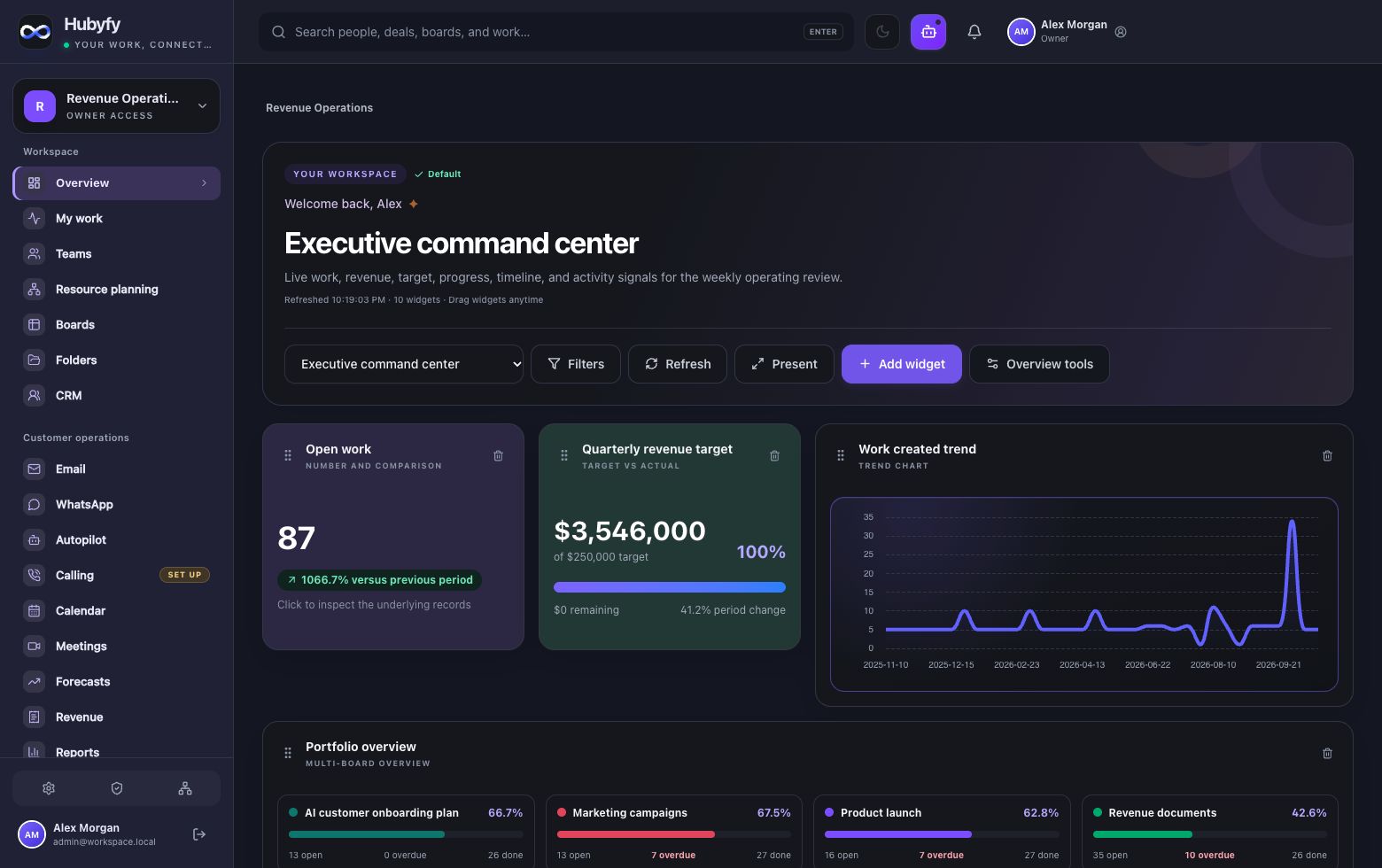
See the bigger picture.
Bring sales and team progress into view. Use dashboards to focus the conversation and boards to turn decisions into assigned work.
- Customer history and follow-ups
- Projects, documents and deadlines
- Reporting and optional automations
GO A LITTLE DEEPER
The details,
when you need them.
Explore a feature or see how it fits your day.
Build a useful customer history
Give every follow-up a starting point. Organize leads, contacts and companies so your team can understand the relationship before the next conversation.
- Assign ownership and track activities, notes and next actions.
- Use filters, saved views and custom fields to organize the details that matter.
- Prioritize leads with scoring rules and optional AI fit analysis.
Move opportunities forward
See where deals stand, who owns the next step and which opportunities need attention. Turn a pipeline review into a practical plan for the week.
- Manage deal stages, values, contacts and expected close dates.
- Review risk signals and optional AI insights grounded in available deal history.
- Compare pipeline and forecast views to understand your revenue outlook.
Follow up with context
Bring supported email and calendar connections into the customer workflow. Spend less time reconstructing what happened and more time preparing the next useful response.
- Keep linked conversations and activities alongside the customer record.
- Plan follow-ups with tasks, meetings and calendar views.
- Build email sequences with send windows, manual steps and reply handling.
Connect deals to commercial documents
Keep the agreed products, quantities and prices connected to the opportunity. Prepare the documents that move a sale toward delivery and payment.
- Manage a shared product catalog, pricing and tax settings.
- Prepare quotes, orders and invoices from saved commercial details.
- Review receivables and customer-facing document links with the right access.
Give delivery a clear plan
A won deal still needs good execution. Boards bring tasks, owners, deadlines and supporting information together so the team can see what happens next.
- Organize work into items and subitems with configurable columns.
- Switch between available board views to plan and track progress.
- Connect related boards and keep updates with the work they describe.
Keep knowledge close to the work
Make project briefs, decisions and supporting files easier to find. Shared documents and workspace resources give colleagues a common starting point.
- Create and organize work documents alongside your projects.
- Link relevant records and attachments instead of scattering context.
- Reuse permitted workspace resources in your creative work.
Turn activity into a clearer picture
Use dashboards, reports and forecasting to review progress across the work you can access. Spot stalled opportunities and overdue commitments before your next team review.
- Bring relevant board and business metrics into dashboards.
- Review sales performance, pipeline movement and revenue information.
- Keep reporting aligned with workspace and record permissions.
Reduce repetitive work
Set up supported automation rules for recurring steps and use Aurora, Hubyfy’s assistant, when you want help preparing or completing supported tasks.
- Build rules around the triggers and actions available to your workspace.
- Use optional AI to research, draft or analyze with a reviewed credit allowance.
- Review external messages and publishing actions before they are sent.
Give each person the right access
Keep collaboration organized as your team grows. Ownership, teams and workspace permissions determine who can see and work with customer records.
- Assign responsibilities across members, managers and administrators.
- Keep private customer history within the relevant ownership boundaries.
- Connect supported services using your organization’s permitted accounts.
How it fits your workflow
- Capture and qualify. Add a lead, assign an owner and record the need. Use your criteria to decide who deserves attention and what information is still missing.
- Build the opportunity. Plan a conversation, track the next action and develop the deal. Prepare the product details and quote while the customer context is still close at hand.
- Coordinate the next stage. Organize delivery on a board, keep documents and responsibilities visible, and review progress alongside the commercial relationship.
Who is it for?
Sales teams. Prepare for a pipeline meeting with deal stages, next actions and risk signals in view. Leave knowing which customers need a conversation and who will follow up.
Agencies and service businesses. Carry a customer brief from sales into a delivery board. Keep scope, responsibilities, documents and deadlines together as the work develops.
Owners and operations teams. Review customer activity, team workload and commercial progress without assembling a separate status report from every colleague.
GOOD TO KNOW
Before you start.
Is Hubyfy only a CRM?
CRM is a central part of Hubyfy, but the platform also includes boards, documents, calendars, reporting, automations and creative tools. You can connect customer work with the projects and communication that follow it.
Can we use our existing email and calendar accounts?
Hubyfy supports connections such as Google and Microsoft. Available actions depend on the provider, account permissions and your workspace configuration. Tell us which services you use so we can demonstrate the relevant workflow.
Does AI send messages or change records on its own?
AI is optional. Supported actions follow workspace permissions and review controls; external sending and publishing require approval. Some explicitly enabled automations can run within their configured limits. AI generation uses credits, with usage controls shown in the product.
Do all colleagues see every customer?
No. Access follows workspace roles, teams and record ownership. Administrators, managers and regular members have different visibility, helping teams collaborate without exposing every customer’s private history.
How do we choose the right setup?
Contact us with your team size, sales process, delivery workflow and required integrations. We can demonstrate the relevant tools and discuss current access, plans and any optional service costs.
TAKE A CLOSER LOOK
See it with your team in mind.
Tell us what you want to improve. We’ll show you the relevant tools and discuss access.
Already using Hubyfy? Open Hubyfy. Optional AI and connected services depend on your plan and setup.